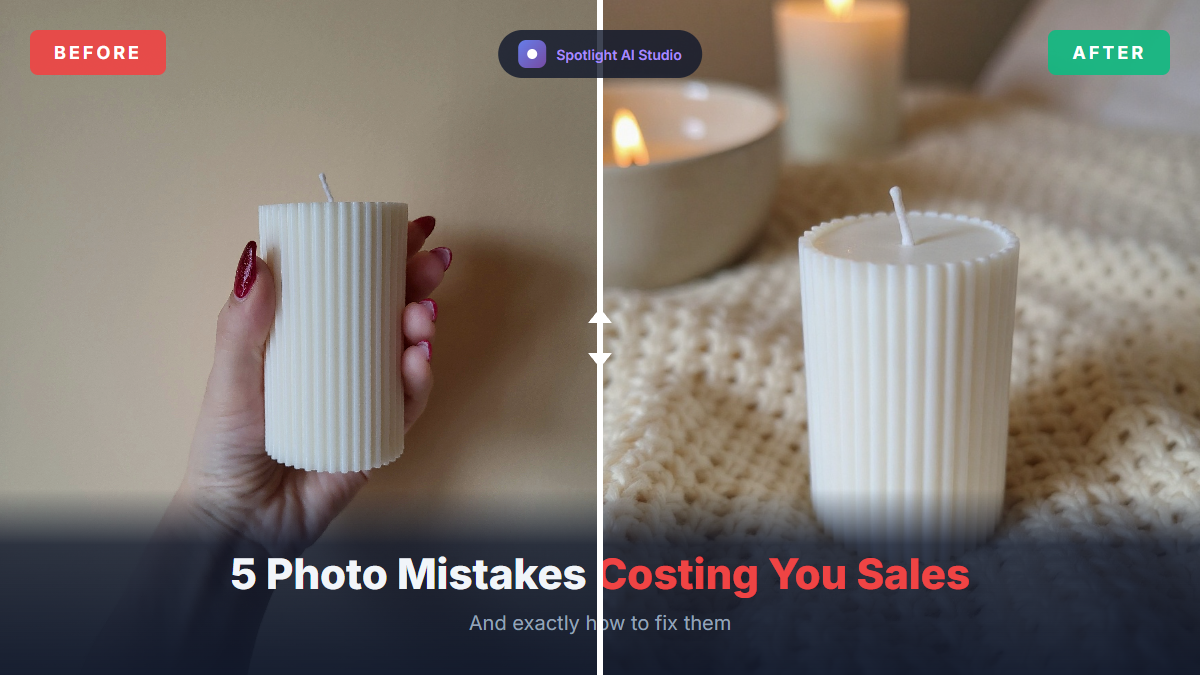
Your Etsy product photos are doing more heavy lifting than you might realize. According to an Etsy buyer survey, 90% of shoppers said the quality of photos was 'extremely important' or 'very important' to their purchase decision—ranking it higher than shipping cost, customer reviews, or even the price itself.
That's a staggering statistic. It means your photos aren't just decoration—they're your primary sales tool. And if you're making any of these five common mistakes, you could be leaving serious money on the table.
Let's break down what's going wrong and exactly how to fix it.
Mistake #1: Using Low-Resolution or Blurry Images
Why This Hurts Your Sales
When shoppers can't see your product clearly, they don't buy. It's that simple. Etsy's zoom feature only works properly when your images meet minimum resolution requirements. If your photos are too small or blurry, customers can't inspect the details—and that uncertainty translates directly into abandoned carts.
Research shows that products with professional, multi-angle photography can have return rates 15-50% lower than those with basic product images. Why? Because clear photos set accurate expectations. When customers know exactly what they're getting, they're more confident buying and less likely to be disappointed.
The Fix
Etsy recommends your listing photos have a width of at least 2000 pixels on the shortest side. For best results, aim for 2000 x 2000 pixels (square) or 3000 x 2250 pixels for landscape orientation.
The good news? If you have an iPhone 12 or newer, or a recent Android phone, your camera already shoots well above 2000 pixels. Just make sure you're shooting in good light, keeping the camera steady, and not cropping too aggressively.
Pro tip: Clean your camera lens before shooting. Fingerprints and dust cause subtle blurriness that's easy to miss until you see the final upload.
Mistake #2: Poor Lighting That Makes Products Look Cheap
Why This Hurts Your Sales
Bad lighting is the silent killer of Etsy sales. When your photos are too dark, shoppers can't see what they're buying. When they're overexposed, colors look washed out. And when you use your phone's flash, you get harsh shadows and unnatural color casts that make even high-quality products look amateurish.
Color accuracy matters more than you might think. One of the most common customer complaints is "the color is totally different from what I saw online." This mismatch is a leading cause of returns and negative reviews—problems that compound over time and drag down your shop's visibility in Etsy search.
The Fix
Natural light is your best friend—and it's free. Position your product near a large window, but avoid direct sunlight, which creates harsh shadows. The ideal conditions are an overcast day or shooting in the morning or late afternoon when the light is soft and even.
If natural light isn't available, use a simple lightbox or two soft white lights positioned at 45-degree angles to your product. The goal is even illumination without strong shadows.
Pro tip: Use a white poster board as a reflector to bounce light onto shadowed areas. This simple trick can dramatically improve your lighting without any additional equipment.
Mistake #3: Cluttered or Distracting Backgrounds
Why This Hurts Your Sales
Your product should be the star of your photos—not your kitchen counter, carpet, or whatever else happens to be in frame. Busy backgrounds compete with your product for attention and make it harder for shoppers to understand what they're actually buying.
This is especially critical for your primary listing image. Remember, 60% of Etsy's traffic comes from mobile devices, where images are displayed much smaller. On a phone screen, a cluttered background can completely obscure your product in thumbnail view—and if shoppers can't immediately see what you're selling, they're scrolling right past.
The Fix
For your primary image, use a clean, simple background that lets your product stand out. A plain white or neutral backdrop works well for most products and photographs consistently.
For secondary images, you can use lifestyle shots that show your product in context—but keep the staging minimal and intentional. Every element in the frame should either showcase your product or help the customer imagine using it.
Pro tip: Leave 10-15% negative space around your product. Etsy automatically crops images for thumbnails, and tight framing can cut off important details. Shooting wider gives you flexibility and ensures nothing important gets cropped out.
See the Difference
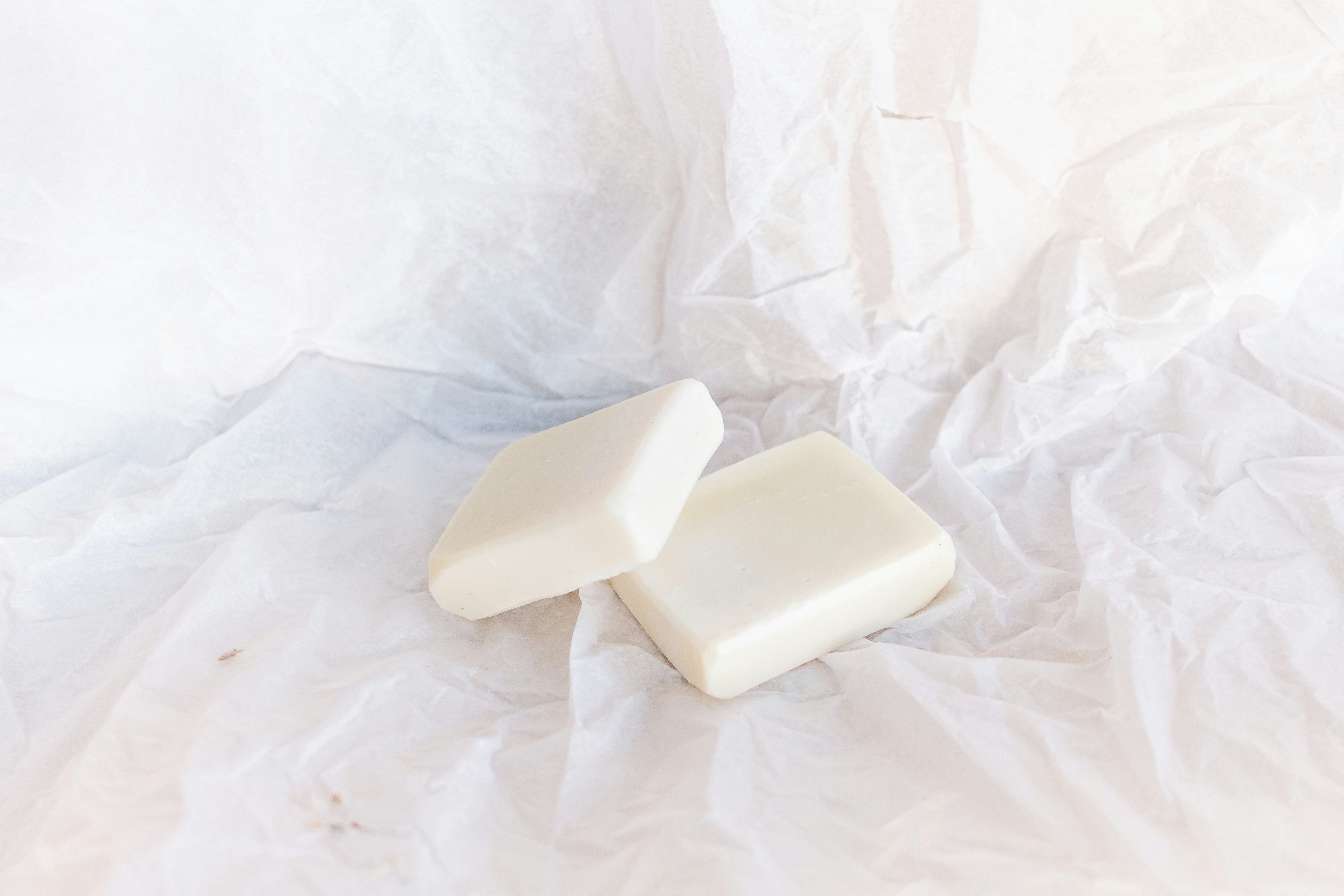
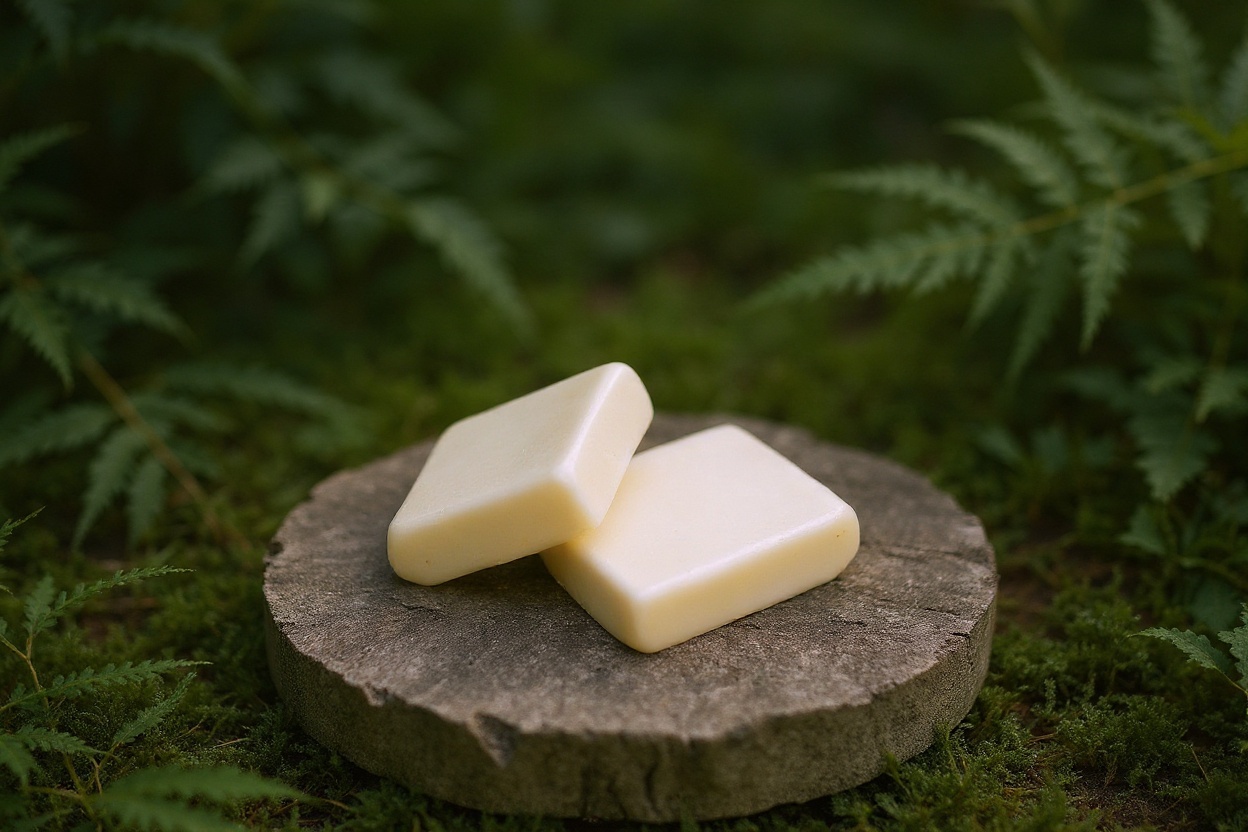
Here's a real example created with Spotlight AI's image enhancement, showing what a difference a professional background can make:
 Before
 After
After
The "before" photo is bland and washed out—white soap on crumpled white paper with no visual interest. The "after" tells a story: rustic wood, lush greenery, and beautiful depth of field that communicates "natural" and "handmade" instantly. This transformation took seconds with AI—no photoshoot required.
Mistake #4: Not Using All 10 Image Slots
Why This Hurts Your Sales
Etsy gives you 10 image slots per listing. Many sellers use two or three and call it a day. This is a missed opportunity.
According to Etsy's own guidance, using all 10 images may increase your conversion rate because each additional photo gives shoppers more information about your product. Online shoppers can't touch, feel, or try on your items—your photos have to do that job for them.
Research also shows that 22% of online returns happen because the product looked different than expected. More photos mean fewer surprises and fewer returns.
The Fix
Build a complete visual story with your 10 images. Here's a framework that works:
- Hero shot – Clean, well-lit primary image on a simple background
- Lifestyle shot – Product in use or in a real-world setting
- Multiple angles (3-5) – Front, back, side, top, and any unique angles
- Detail shots (6-7) – Close-ups of textures, materials, craftsmanship, or special features
- Scale reference – Product next to a common object or in someone's hand
- Packaging shot – What the customer will actually receive
- Size/specs graphic – Dimensions, variations, or care instructions
Mistake #5: Ignoring Mobile Display
Why This Hurts Your Sales
Here's a reality check: 60% of Etsy traffic comes from mobile devices. If you're only previewing your photos on a desktop computer, you're not seeing what most of your customers see.
On mobile, your images appear much smaller. Text overlays become unreadable. Intricate details disappear. And if your product isn't clearly visible at thumbnail size, shoppers won't click through to learn more.
Etsy also crops thumbnails differently on mobile versus desktop. What looks perfectly framed on your computer might have the edges cut off on a phone—potentially hiding important product details.
The Fix
Before publishing any listing, preview your images on a mobile device. Open the Etsy app and check how your photos look in search results and on the listing page.
Use square images (1:1 aspect ratio) for your primary photo—they display consistently across all devices and won't get awkwardly cropped. Keep your product centered, and avoid putting important details near the edges of the frame.
Pro tip: If you use text overlays, make sure they're large enough to read on a phone screen. Better yet, keep text minimal on your images and let the visuals do the talking.
The Bottom Line
Your Etsy photos are the closest thing online shoppers have to holding your product in their hands. When 90% of buyers say photo quality is critical to their purchase decision, getting this right isn't optional—it's essential.
The good news? You don't need expensive equipment or professional photography skills. A smartphone, good natural light, and attention to these fundamentals can transform your listings.
Better photos mean more clicks, higher conversion rates, fewer returns, and ultimately more sales. Start with your best-selling listings and work your way through your shop. The effort pays off.
Want Professional Photos Without the Hassle?
If you don't have time to set up photoshoots or learn photo editing, there's another option. Spotlight AI transforms basic phone photos into studio-quality images in seconds—complete with professional backgrounds, lighting, and styling.
You can also turn any product photo into a cinematic 5-second video for social media and listings. No subscriptions, no Photoshop skills needed—just pay per use.
Try it free at spotlight.introversion.ai – your first 3 credits are on us.
Sources
- Etsy Seller Handbook: Creating Listings That Convert
- Etsy Help Center: Requirements and Best Practices for Images
- eRank: 5 Product Photography Mistakes Costing You Sales on Etsy
- Similarweb: Etsy Traffic Analytics (November 2024)
- Rocket Returns: Ecommerce Return Rates 2025 Industry Analysis
- Tinuiti: Is Bad Product Photography Impacting Your Conversion & Return Rates